Artificial intelligence is fundamentally reshaping how we approach user experience design, moving from static interfaces to dynamic, adaptive experiences. In 2025, AI-powered UX design represents the convergence of data science, psychology, and creative design to create truly personalized digital experiences.
Key Insight: Companies implementing AI-driven UX design report 35% higher user engagement and 42% faster task completion rates. The future of design isn't just beautiful interfaces—it's intelligent, adaptive experiences that learn and evolve with users.
Table of Contents
Personalized User Experiences

AI enables the creation of interfaces that adapt in real-time to individual user preferences, behaviors, and contexts, moving beyond one-size-fits-all design approaches.
Dynamic Interface Adaptation
Modern AI systems can analyze user interactions to dynamically adjust:
- Content prioritization: Rearranging interface elements based on usage patterns
- Visual complexity: Simplifying or enriching interfaces based on user expertise
- Navigation paths: Creating personalized user journeys through applications
- Color schemes & typography: Adapting visual design to user preferences
Real-World Example: E-commerce Personalization
Leading e-commerce platforms now use AI to create completely personalized shopping experiences. The system learns from user behavior to highlight relevant products, adjust category hierarchies, and even modify the visual layout to match individual shopping patterns—resulting in 28% higher conversion rates.
Context-Aware Design
AI-powered UX considers contextual factors like:
- Time of day and user location
- Device type and connection speed
- User emotional state (through sentiment analysis)
- Current task and user goals
Design Principle: The most effective personalized experiences feel intuitive rather than intrusive. Users should perceive the adaptation as helpful guidance, not surveillance or manipulation.
Predictive Design Systems
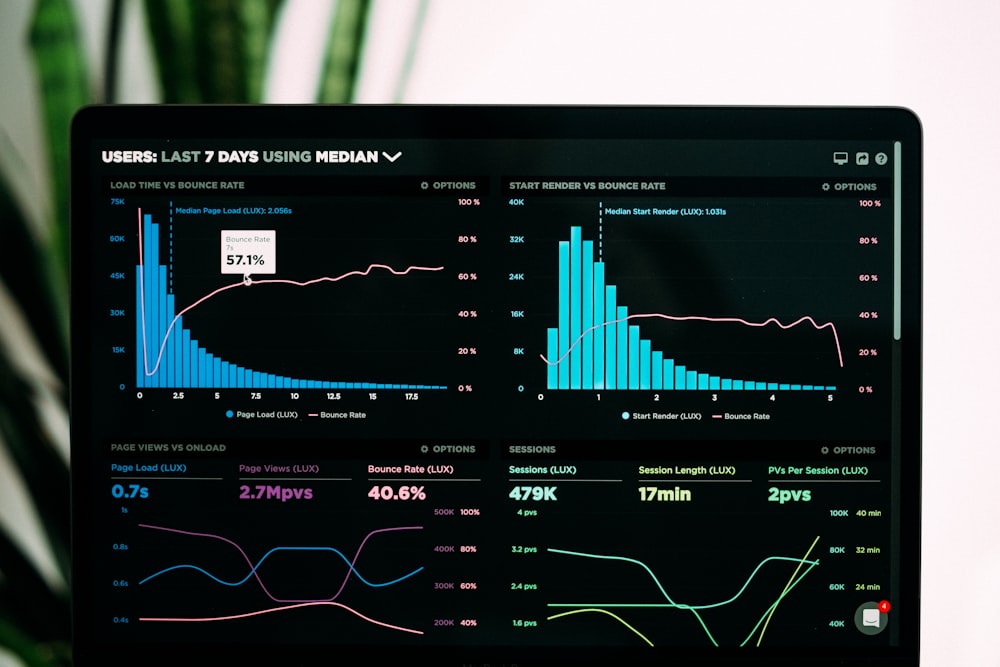
AI algorithms can now predict user needs and behaviors before they occur, enabling proactive design solutions that anticipate and solve problems.
Behavioral Pattern Recognition
Advanced machine learning models analyze vast datasets to identify:
- Common user frustration points and drop-off locations
- Successful interaction patterns that lead to conversions
- Seasonal and temporal usage trends
- Cross-platform user behavior correlations
Predictive User Flows
Design systems can now generate optimized user journeys by:
- Predicting the next likely user action
- Pre-loading content and functionality
- Simplifying complex processes for novice users
- Providing expert shortcuts for power users
Case Study: Financial App Redesign
A major banking app implemented predictive design features that anticipate user needs based on transaction history and behavior patterns. The system now suggests relevant actions (bill payments, transfers) before users search for them, reducing navigation time by 47% and increasing feature discovery by 63%.
AI-Powered Usability Testing
Traditional usability testing is being transformed by AI, enabling faster, more comprehensive, and more objective evaluation of design solutions.
Automated User Testing Platforms
Modern AI testing tools can:
- Simulate thousands of user interactions in minutes
- Identify usability issues without human testers
- Provide quantitative metrics for design decisions
- Compare multiple design variations simultaneously
Eye-Tracking & Attention Prediction
AI algorithms can now predict where users will look and how they'll interact with interfaces by:
- Analyzing design composition and visual hierarchy
- Comparing new designs against proven patterns
- Identifying potential attention bottlenecks
- Optimizing information architecture for scanability
Testing Insight: AI-powered usability testing reduces testing cycles from weeks to hours while providing more objective, data-driven insights. However, human interpretation remains crucial for understanding the "why" behind user behavior.
Accessibility Automation
AI tools are revolutionizing accessibility testing by automatically identifying and suggesting fixes for:
- Color contrast issues
- Screen reader compatibility problems
- Keyboard navigation barriers
- Cognitive load challenges
Generative Design Tools
AI-powered generative design tools are transforming the creative process, enabling designers to explore thousands of design variations and optimize for specific goals.
AI-Assisted Design Generation
Modern design tools leverage AI to:
- Generate multiple design concepts from simple prompts
- Create consistent design systems automatically
- Suggest layout improvements based on best practices
- Generate accessible color palettes and typography systems
Design System Automation
AI can maintain and evolve design systems by:
- Automatically detecting inconsistencies across products
- Suggesting component improvements based on usage data
- Generating documentation and usage guidelines
- Ensuring brand consistency across all touchpoints
Tool Spotlight: AI Design Assistants
Platforms like Adobe Sensei and Figma's AI features now help designers automate repetitive tasks, generate design variations, and ensure consistency. Early adopters report 60% time savings on routine design tasks, allowing more focus on strategic and creative work.
Emotional AI & Sentiment Analysis
The next frontier in UX design involves understanding and responding to user emotions, creating more empathetic and effective digital experiences.
Emotion Detection Technologies
Advanced AI systems can detect user emotions through:
- Facial expression analysis (with user consent)
- Voice tone and speech pattern recognition
- Typing speed and interaction intensity
- Language sentiment analysis in feedback and queries
Adaptive Emotional Responses
Design systems can now adjust based on detected emotions:
- Simplifying interfaces for frustrated users
- Providing encouragement during complex tasks
- Adjusting communication tone and style
- Offering help before users become overwhelmed
Ethical Consideration: Emotional AI raises important privacy and ethical questions. Designers must prioritize transparency, user consent, and clear value exchange when implementing emotion-sensitive features.
Mood-Based Personalization
Forward-thinking applications are experimenting with:
- Interface themes that adapt to user mood
- Content recommendations based on emotional state
- Interaction patterns that match energy levels
- Wellness-focused design interventions
Future Designer Skills for 2025
As AI transforms the design landscape, designers need to develop new skills and mindsets to remain relevant and effective.
Essential Technical Skills
Modern UX designers should understand:
- AI and machine learning fundamentals: How algorithms work and their design implications
- Data literacy: Interpreting analytics and user behavior data
- AI design tools: Proficiency with AI-assisted design platforms
- Prototyping for AI: Creating prototypes that demonstrate adaptive behavior
- Ethical design principles: Ensuring responsible AI implementation
Strategic Mindset Shifts
Designers need to transition from:
- Creating static designs to designing adaptive systems
- Focusing on pixels to focusing on patterns and algorithms
- Designing for the average user to designing for individual users
- Validating with small samples to continuous optimization at scale
Career Path: AI UX Specialist
The emerging role of AI UX Specialist combines traditional design skills with data science knowledge. These professionals bridge the gap between design teams and AI developers, ensuring that AI features enhance rather than complicate the user experience. Demand for these specialists has grown 240% in the past two years.
Implementation Strategies for Organizations

Successfully integrating AI into UX design requires careful planning, cross-functional collaboration, and iterative implementation.
Phase 1: Foundation & Education (1-3 months)
- Conduct AI literacy training for design teams
- Audit current design processes for AI opportunities
- Establish ethical guidelines for AI implementation
- Identify pilot projects with clear success metrics
Phase 2: Experimentation & Integration (3-9 months)
- Implement AI-assisted design tools and workflows
- Run controlled experiments with AI-powered features
- Develop cross-functional AI/design teams
- Establish continuous learning feedback loops
Phase 3: Scaling & Optimization (6-18 months)
- Scale successful AI features across products
- Develop organization-wide AI design standards
- Implement AI-driven design performance monitoring
- Establish centers of excellence for AI UX design
Implementation Tip: Start with low-risk, high-impact AI applications like personalized content recommendations or automated accessibility testing. Measure impact rigorously and scale what works while maintaining human oversight and creative direction.
Conclusion
AI-powered UX design represents a fundamental shift from creating static interfaces to designing intelligent, adaptive systems that learn and evolve with users. While the technology is transformative, the human elements of empathy, creativity, and ethical consideration remain paramount.
The most successful organizations will be those that view AI as a collaborative tool that enhances human creativity rather than replaces it. By combining AI's analytical power with human insight and empathy, we can create digital experiences that are not only more efficient and effective but also more human-centered and meaningful.
Final Thought: The future of UX design isn't about choosing between human creativity and artificial intelligence—it's about leveraging both to create experiences that are smarter, more responsive, and more deeply connected to human needs and emotions. The designers who embrace this collaborative future will shape the next generation of digital experiences.
Frequently Asked Questions
Will AI replace UX designers?
No, AI will not replace UX designers but will transform their role. AI handles repetitive tasks, data analysis, and pattern recognition, freeing designers to focus on strategic thinking, creativity, and complex problem-solving. The most successful designers will be those who learn to collaborate effectively with AI tools.
How do we ensure ethical AI implementation in UX design?
Ethical AI implementation requires transparency about data usage, user consent for personalization, regular bias audits, clear opt-out options, and human oversight of automated decisions. Establishing an AI ethics framework and involving diverse perspectives in design decisions are crucial steps.
What's the learning curve for AI design tools?
Most modern AI design tools are designed to integrate smoothly into existing workflows. The initial learning curve is typically 2-4 weeks for basic proficiency, with ongoing learning as features evolve. Many tools offer intuitive interfaces that feel familiar to designers using traditional design software.
How do we measure the ROI of AI-powered UX design?
Key metrics include user engagement rates, task completion times, conversion rates, user satisfaction scores, and reduction in design iteration cycles. Many organizations also track operational efficiency gains in the design process itself, such as reduced testing time and faster design iteration.
Comments (3)
Excellent overview of the AI design landscape. We've been implementing personalized UX features in our e-commerce platform and the results are impressive—28% increase in conversion rates. The ethical considerations section is particularly important as we scale these features.

Dr. Anika Patel
As a UX researcher, I appreciate the balanced perspective on AI testing tools. They're incredibly powerful for quantitative analysis, but we still need human researchers to understand the qualitative "why" behind user behavior. The combination of AI scale and human insight is where the real magic happens.

Carlos Rodriguez
The implementation roadmap is exactly what our design team needs. We've been struggling with where to start with AI integration. The phased approach makes sense—we'll begin with education and identifying use cases before committing significant resources.
Marcus Thompson