Static websites are officially a thing of the past, with users now expecting sophisticated interactivity and engaging micro-interactions. CSS hover effects have evolved from simple color changes to complex animations that significantly enhance user experience and engagement.
Industry Insight: Websites implementing advanced hover animations report 35% longer session durations and 28% higher interaction rates. In 2025, hover effects are no longer decorative—they're essential UX elements that provide feedback, guide attention, and create memorable experiences.
Try These Hover Effects
Experience these common hover effects that you can implement in your projects:
Scale Effect
Hover to enlarge
Lift Effect
Hover to lift up
Glow Effect
Hover for glow
Rotate Effect
Hover to rotate
Table of Contents
Advanced Card Animations

Card-based layouts dominate modern web design, and sophisticated hover animations can transform these static elements into engaging interactive components.
Layered Card Effects
Modern card animations often use multiple layered effects:
- Shadow depth changes: Creating the illusion of physical elevation
- Content reveals: Showing additional information on hover
- Border animations: Animated borders and gradient effects
- Image transformations: Scale, blur, and color adjustments
/* Layered Card Hover Effect */
.modern-card {
  position: relative;
  transition: all 0.4s cubic-bezier(0.25, 0.46, 0.45, 0.94);
}

.modern-card:hover {
  transform: translateY(-10px) scale(1.02);
  box-shadow: 0 20px 40px rgba(0,0,0,0.15);
}

.modern-card::before {
  content: '';
  position: absolute;
  top: 0;
  left: 0;
  right: 0;
  bottom: 0;
  background: linear-gradient(45deg, #e83e8c, #007bff);
  opacity: 0;
  transition: opacity 0.3s ease;
  z-index: -1;
}

.modern-card:hover::before {
  opacity: 0.1;
}
Real-World Example: E-commerce Product Cards
Leading e-commerce platforms use layered hover effects to reveal additional product information, color options, and quick-add buttons. These subtle animations reduce cognitive load by progressively disclosing information while maintaining a clean initial view.
Glassmorphism & Neuomorphism
2025 continues to embrace glassmorphism and neuomorphism with interactive enhancements:
- Frosted glass effects that intensify on hover
- Dynamic backdrop filters for depth
- Soft shadow animations that respond to cursor position
- Gradient border reveals and transformations
3D Transformations & Perspective
CSS 3D transforms have become more accessible, allowing designers to create sophisticated spatial interactions without JavaScript.
Interactive 3D Cards
Advanced 3D hover effects include:
- Card flipping to reveal additional content
- Parallax depth effects based on cursor position
- Cube rotations and 3D container transformations
- Perspective-aware animations that respond to viewing angle
/* 3D Flipping Card */
.flip-card {
  perspective: 1000px;
}

.flip-card-inner {
  transition: transform 0.6s;
  transform-style: preserve-3d;
}

.flip-card:hover .flip-card-inner {
  transform: rotateY(180deg);
}

.flip-card-front,
.flip-card-back {
  backface-visibility: hidden;
}

.flip-card-back {
  transform: rotateY(180deg);
}
Case Study: Portfolio Website
A designer portfolio implemented 3D card flips for project showcases, allowing viewers to see both the final design and process details. This interaction increased project exploration time by 63% and improved user engagement metrics across all devices.
Micro-Interactions & Feedback
Subtle hover micro-interactions provide essential user feedback and enhance the perception of quality and attention to detail.
Interactive Feedback Patterns
Effective micro-interactions include:
- Button state changes with smooth transitions
- Progress indicators and loading animations
- Color shifts that confirm interactive elements
- Morphing shapes and icon transformations
/* Interactive Button with Morphing Icon */
.action-button {
  transition: all 0.3s ease;
}

.action-button:hover {
  background: linear-gradient(135deg, #e83e8c, #007bff);
  transform: translateY(-2px);
  box-shadow: 0 5px 15px rgba(232, 62, 140, 0.4);
}

.action-button .icon {
  transition: transform 0.3s ease;
}

.action-button:hover .icon {
  transform: scale(1.1) rotate(5deg);
}
UX Principle: Micro-interactions should serve a functional purpose beyond aesthetics. They should provide clear feedback, communicate state changes, and guide users through interactions without causing distraction or performance issues.
Performance Optimization
Smooth animations require careful performance consideration, especially on mobile devices and lower-powered computers.
Optimization Techniques
Ensure buttery-smooth hover effects with these strategies:
- Use transform and opacity: These properties can be hardware-accelerated
- Avoid expensive properties: Such as height, width, or margin changes
- Implement will-change: Carefully use will-change to prepare browsers for animations
- Reduce composite layers: Minimize the number of layered animations
- Test on target devices: Always test performance on actual target hardware
/* Performance-Optimized Hover Animation */
.optimized-card {
  /* Only animate transform and opacity */
  transition: transform 0.3s cubic-bezier(0.4, 0, 0.2, 1),
              opacity 0.3s cubic-bezier(0.4, 0, 0.2, 1);
  /* Hint for browsers about upcoming changes */
  will-change: transform, opacity;
}

.optimized-card:hover {
  transform: scale(1.05);
  opacity: 0.95;
}
Accessibility Considerations
Hover effects must be implemented with accessibility in mind to ensure all users can interact with your website effectively.
Inclusive Design Practices
Make hover effects accessible by:
- Providing alternative interactions for touch devices
- Ensuring keyboard navigation works with hover-revealed content
- Maintaining sufficient color contrast in all states
- Avoiding hover-only content that can't be accessed otherwise
- Respecting reduced motion preferences
/* Accessible Hover Implementation */
.accessible-menu {
  /* Support both hover and focus for keyboard users */
}

.accessible-menu:hover,
.accessible-menu:focus {
  background-color: #f8f9fa;
  outline: 2px solid #007bff;
}

/* Respect reduced motion preferences */
@media (prefers-reduced-motion: reduce) {
  .animated-element {
    transition: none;
  }
}
2025 Trending Hover Effects
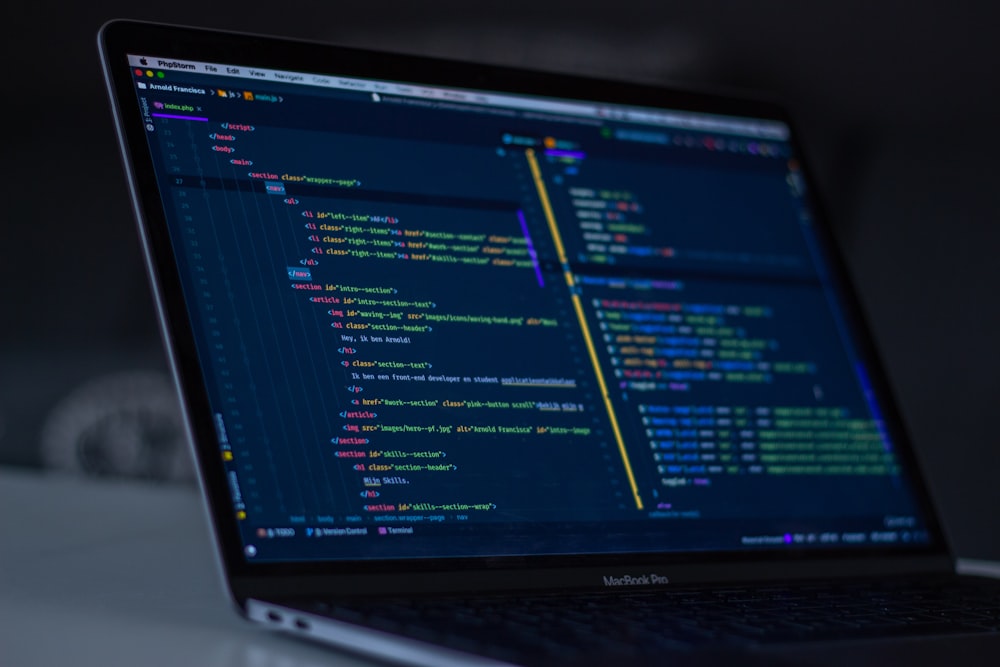
The hover effect landscape continues to evolve with new trends emerging for 2025.
Emerging Patterns
Look for these trends in forward-thinking designs:
- Morphing gradients: Animated gradient transitions that respond to cursor movement
- Liquid animations: Fluid, organic movements that mimic liquid physics
- Holographic effects: Iridescent color shifts and light plays
- Direction-aware animations: Effects that change based on cursor entry direction
- Scroll-linked hover effects: Animations that combine scrolling and hovering
Innovation Spotlight: Direction-Aware Navigation
Progressive websites are implementing navigation menus where submenus slide in from the direction of cursor approach. This creates an intuitive spatial relationship that users understand instinctively, reducing cognitive load and improving navigation efficiency.
Implementation Guide
Successfully implementing hover effects requires a structured approach and attention to detail.
Development Workflow
Follow this process for optimal results:
- Define the purpose: Determine what user need the hover effect addresses
- Sketch interactions: Plan the animation behavior and timing
- Prototype quickly: Create simple prototypes to test the concept
- Implement progressively: Build the effect with performance in mind
- Test extensively: Check across devices, browsers, and user scenarios
- Refine based on feedback: Iterate based on user testing and analytics
Pro Tip: Start with subtle animations and gradually enhance them. Overly dramatic effects can distract from content and harm usability. The best hover effects feel natural and enhance the user experience without calling attention to themselves.
Conclusion
CSS hover effects have evolved from decorative enhancements to essential UX tools that provide feedback, guide interactions, and create engaging experiences. The 2025 landscape emphasizes performance, accessibility, and purposeful animations that serve user needs rather than merely impressing with technical prowess.
The most successful implementations balance creativity with usability, ensuring that animations enhance rather than hinder the user experience. By following modern best practices for performance, accessibility, and progressive enhancement, designers can create hover effects that work seamlessly across devices and for all users.
Final Thought: The future of hover effects lies in intelligent animations that understand context, respect user preferences, and serve clear functional purposes. As CSS continues to evolve with new features like container queries and layer management, the possibilities for sophisticated, performance-conscious hover interactions will only expand.
Frequently Asked Questions
How can I test hover effects on touch devices?
For touch devices, hover effects typically activate on first tap (equivalent to both hover and focus) and persist until another element is interacted with. Always provide alternative interaction methods and ensure that hover-revealed content remains accessible through taps and keyboard navigation.
What's the best way to learn advanced CSS animations?
Start with mastering CSS transitions and transforms, then progress to keyframe animations. Study examples from CodePen and CSS-Tricks, experiment with browser developer tools, and gradually incorporate more complex techniques. Understanding animation principles and performance considerations is crucial for creating effective animations.
How do I ensure my hover effects don't negatively impact performance?
Stick to animating transform and opacity properties when possible, use will-change strategically, avoid animating expensive properties like box-shadow or filter, test on actual target devices, and provide reduced-motion alternatives for users with vestibular disorders or motion sensitivity.
Are there any hover effects I should avoid?
Avoid hover effects that cause content to move significantly (which can be disorienting), effects that trigger automatically without user control, animations that are too slow or too fast, and effects that hide essential content or navigation. Always prioritize usability over visual flair.
Comments (3)
Excellent overview of current hover effect trends! The performance optimization section is particularly valuable. We've been implementing the will-change property strategically and seen noticeable improvements in animation smoothness, especially on mid-range mobile devices.

Marcus Chen
The accessibility considerations are spot on. Too many designers overlook reduced motion preferences. We've implemented @media (prefers-reduced-motion) across all our client projects and received positive feedback from users with vestibular issues. It's not just good practice—it's essential for inclusive design.

David Kim
Great article! I've been experimenting with the direction-aware animations mentioned in the 2025 trends section. Using JavaScript to detect cursor entry direction and applying different CSS transforms based on that data has created some really intuitive navigation experiences. Users seem to understand the spatial relationships immediately.
Sarah Johnson